The Aerial Data Platform

Process, host, visualize, and track aerial data over time. Organize by property, site, and date. Map-based browsing, time-series comparison, annotations, and reporting. Orthos and point clouds - all in one platform.

Purpose-Built for Aerial Data

Generic file sharing works for documents, not aerial data infrastructure. Organize by property, site, and date. Map-based browsing, point cloud viewing, time-series comparison, annotations, and reporting - features Dropbox can't match.

Feature DataDelivery™ Dropbox/Drive
Purpose-built Viewers - View orthomosaics, point clouds, 360° panoramas, videos, and standard imagery all in one place
Map-based Viewing - View images based on where they are in reality
Compare Over Time - Easily see changes between captures
Easy To Use - Intuitively browse, search, and download ⚠️ limited
Image Annotations - Annotate your imagery to create reports
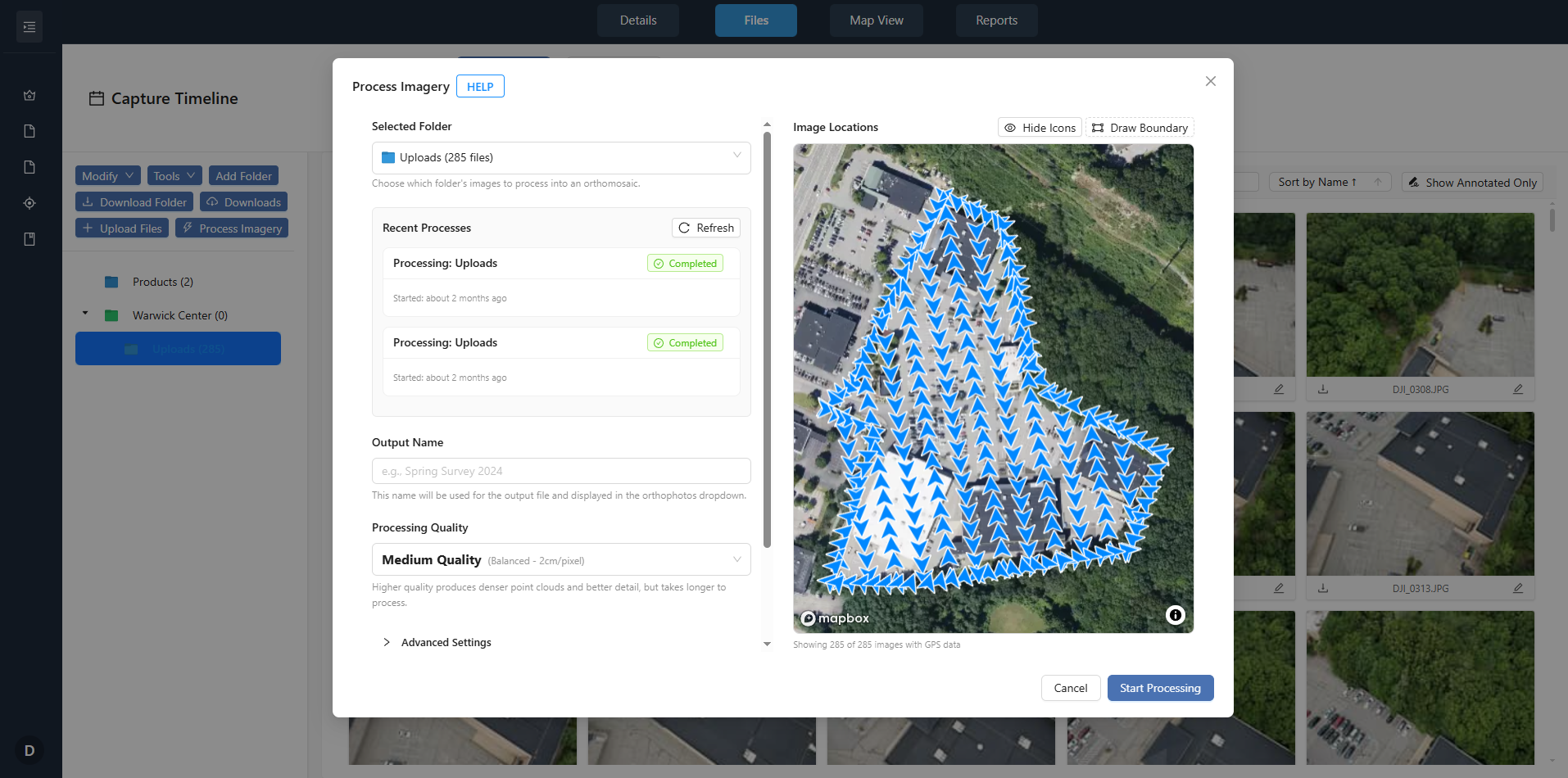
Image Processing - Generate orthomosaics and point clouds from your raw imagery
Secure Sharing - Role-based access ⚠️ manual

How DataDelivery™ Works

Your workflow stays the same. Your clients get a better experience.

1

Capture

Fly your job, prepare your deliverables - same workflow you use now.

2

Upload & Organize

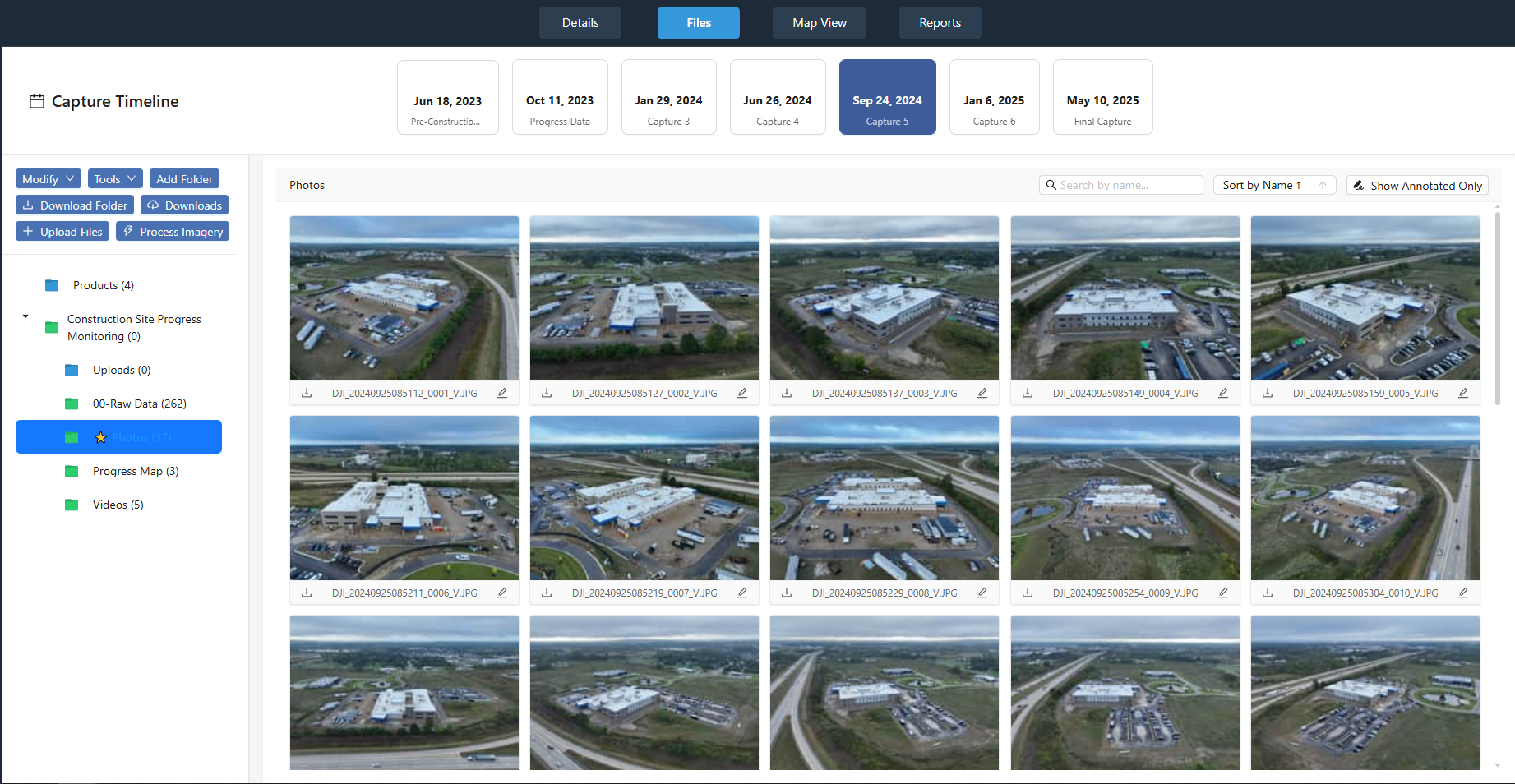
Drag and drop files into organized folders. Tag captures by property, site, and date. Supported formats: GeoTIFF orthomosaics, point clouds, 360° panoramas, standard images (JPG/PNG), MP4 videos.

3

Share

Your client accesses the job - no software, no downloads, no confusion. You can revoke links anytime. Client didn't pay yet? Enable "Preview" mode.

4

Visualize & Share

Map-based browsing, time-series comparison, annotations, measurement tools, and reports from annotations. Bulk download or individual files. All activity is logged for your records.

Recurring jobs?

Add new captures to existing jobs. Clients can compare any two dates to see progress, changes, or issues - perfect for construction monitoring and property management.

Built for Professional Delivery

Purpose-built viewers and tools that make your deliverables more valuable and your delivery process more efficient.
Map-Based Viewer with Annotations

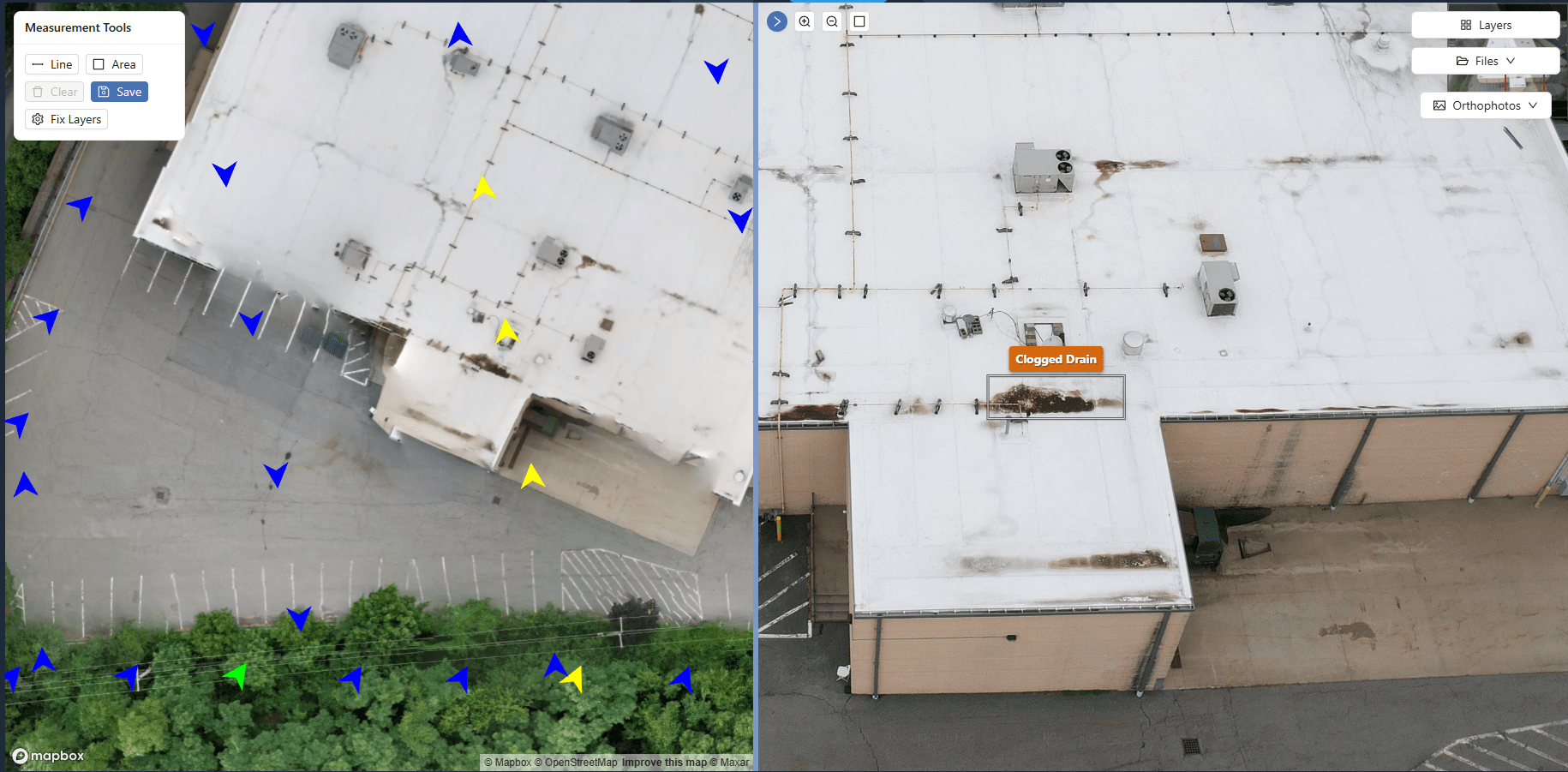
Clients view orthomosaics and site imagery on an interactive map. Click any image to view full-screen, add annotations, and create inspection reports - all without leaving the portal.

Map-Based Browsing

Orthomosaics and point clouds display on a map using embedded geospatial data. Navigate by location, not file names. Organize by property, site, and date.

Image Annotations

Clients mark issues, add notes, and create condition reports directly on imagery. Annotations persist across sessions.
Reports from Annotations

Generate PDF reports from annotations. Export annotated imagery for stakeholders, vendors, or documentation - no separate software needed.

Interactive map annotations showing full-screen image with annotation tools
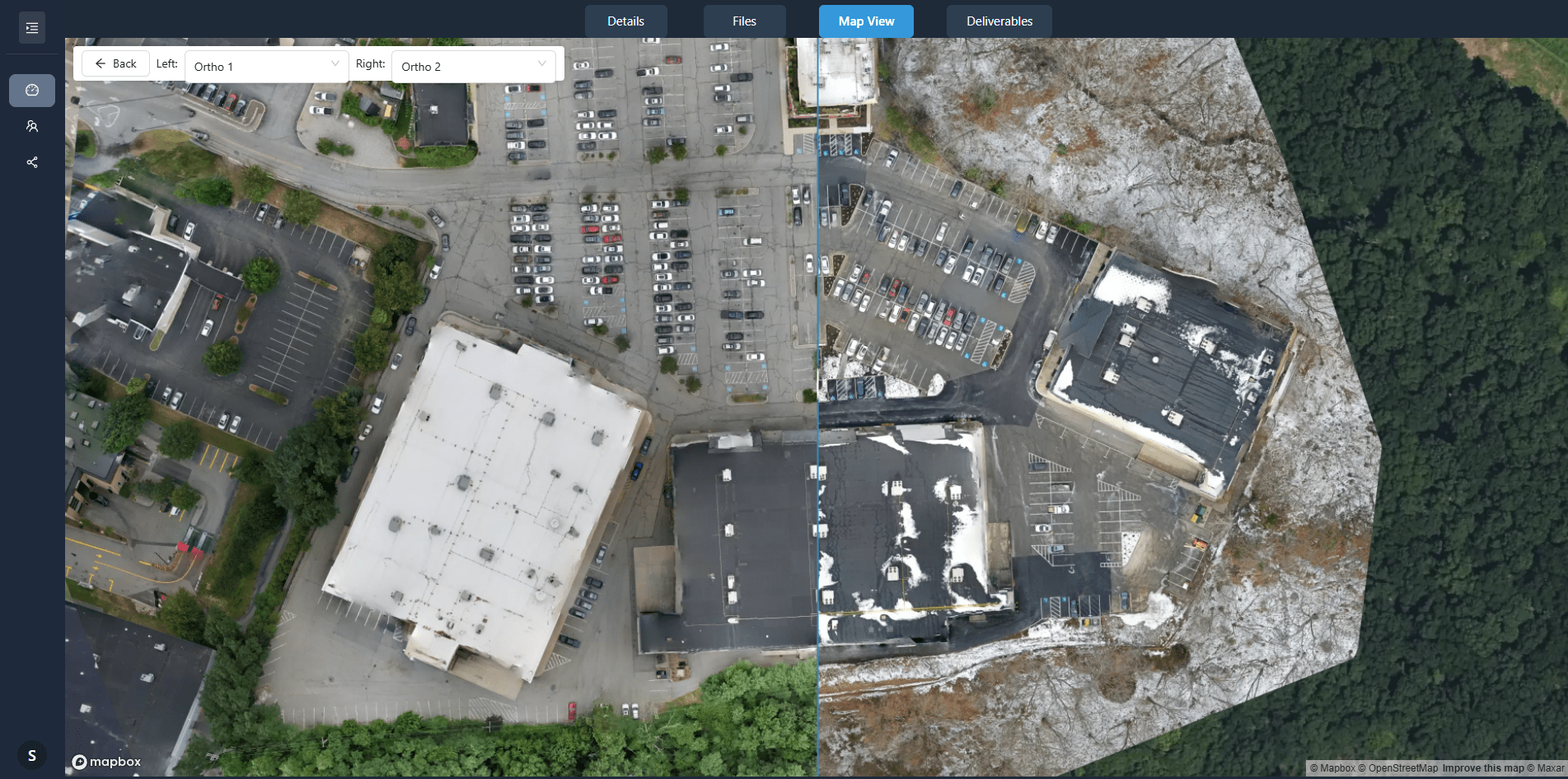
Side-by-side comparison of orthophoto captures showing changes over time

Time-Based Comparison

For recurring jobs, clients compare any two capture dates side-by-side. Synchronized views show construction progress, site changes, or maintenance issues - valuable for construction monitoring and property management.

Side-by-Side Comparison

Clients select two dates from the capture timeline. Orthomosaics display synchronized - pan and zoom one, the other follows automatically.

Recurring Capture Support

Add new captures to existing jobs. Each capture is date-stamped and organized chronologically - no manual file management required.

Progress Documentation

Clients document progress over time without downloading files or managing versions. All captures remain accessible in one portal.

Measurement Tools

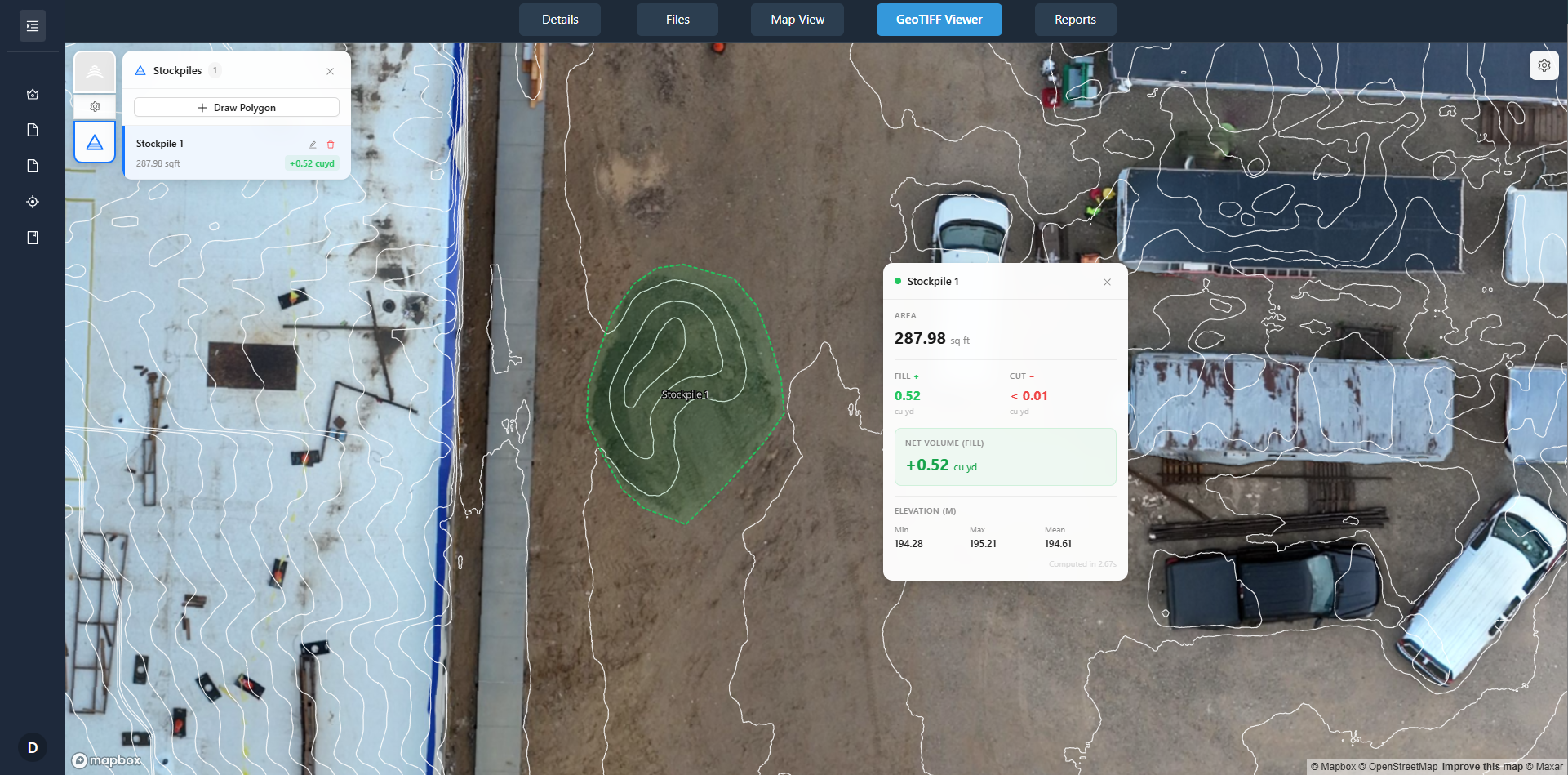
Clients measure areas and distances directly on orthomosaics. Measurements use geospatial data from your GeoTIFF files for accurate calculations - useful for roof measurements, site planning, and area assessments.

Area Measurements

Clients draw polygons on orthomosaics to calculate square footage. Results include area, perimeter, and coordinates - exportable for quotes and planning.

Multiple Measurement Layers

Create separate measurement layers for different purposes (roof areas, parking, landscaping). Each layer can be toggled on/off and exported independently.

Measurement Export

Clients export measurements as CSV or include them in PDF reports. Coordinates and dimensions are preserved for use in other software.
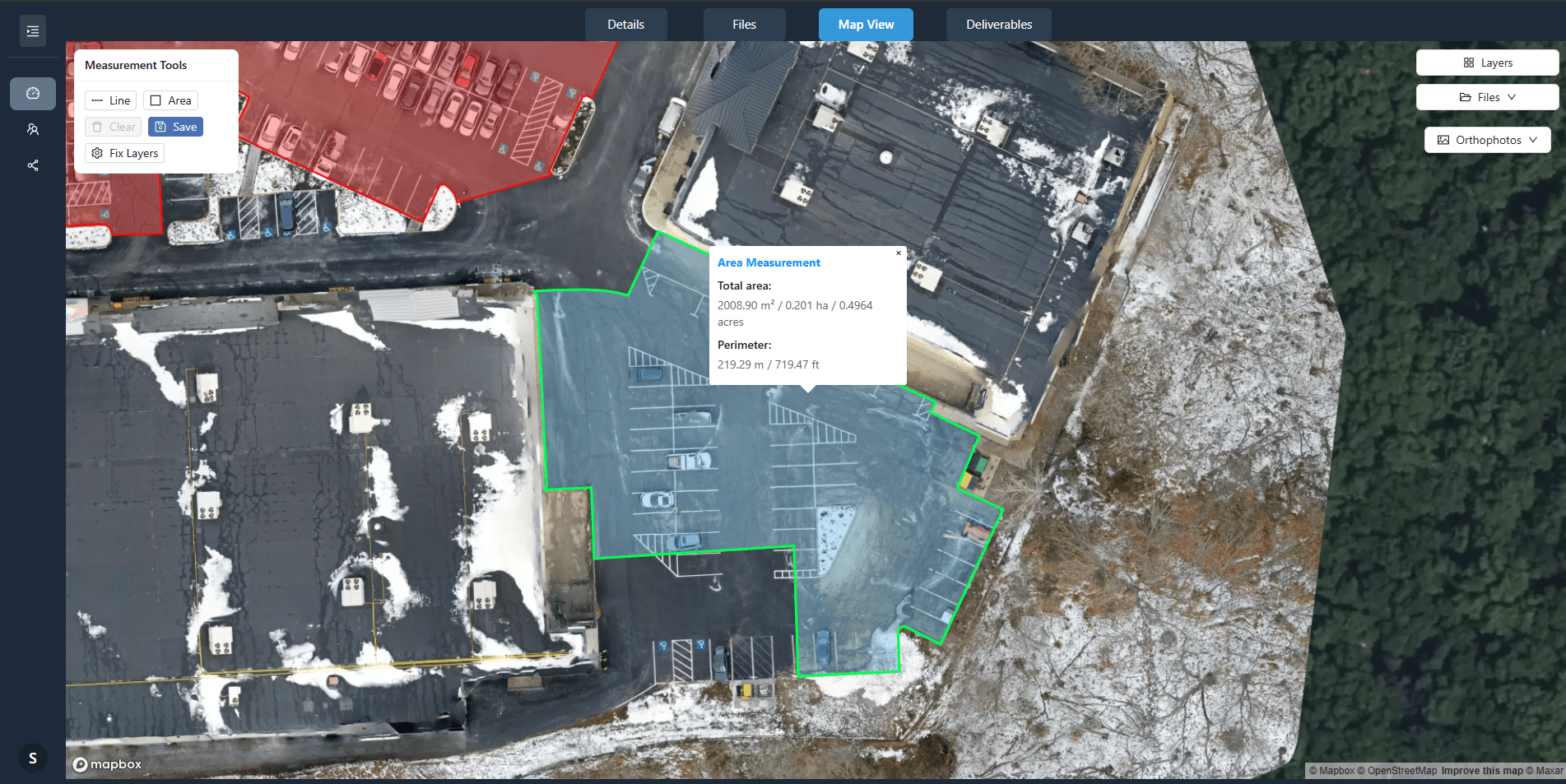
Map view showing multiple area measurements with detailed popup displaying area and perimeter calculations

Secure & Reliable

Your data and your clients' data are protected with enterprise-grade security and reliable infrastructure.

Access Control

  • Role-based permissions — Control who sees what with granular access settings
  • Secure share links — Expiring links you can revoke anytime
  • Audit-friendly logs — Track who accessed what and when

Data Protection

  • Encrypted storage — All data stored on secure, encrypted infrastructure
  • Regular backups — Your data is automatically backed up and protected
  • 99.9% uptime — Reliable infrastructure your clients can depend on

Pricing

All plans include full platform access. Choose the capacity that matches your job volume—upgrade or downgrade anytime.

Starter

For getting started

$9.99 /month

or $100/year (save $20)

  • 1 total job
    Up to 2 captures per job
  • 1 image processing job per day
    Orthophoto and point cloud outputs
  • 100GB storage
    Perfect for getting started
  • Standard features
  • 7-day free trial
    Try it risk-free
Get Started Now
Most Popular

Basic

Perfect for getting started with personal drone jobs.

$29.99 /month

or $299.99/year (save $60)

  • 5 total jobs
    Up to 3 captures per job
  • 3 image processing jobs per day
    Orthophoto and point cloud outputs
  • 500GB storage
    Sufficient for occasional jobs
  • Use your own logo
    Custom branding for your portal
Get Started Now

Premium

For professional pilots who need more capacity and features.

$79.99 /month

or $799.99/year (save $160)

  • 15 total jobs
    Up to 5 captures per job
  • 5 image processing jobs per day
    Orthophoto and point cloud outputs
  • 1000GB storage
    Handles regular job volume
  • Priority Support
    Faster response times
  • Custom Branding
    White-label client portal
  • Custom Domain
    White label experience
Get Started Now

Enterprise

Unlimited access for commercial operations.

$199.99 /month

or $1,999.99/year (save $400)

  • Unlimited jobs
    Up to 25 captures per job
  • 10 image processing jobs per day
    Orthophoto and point cloud outputs
  • 3000GB storage
    For high-volume operations
  • Priority Support
    Faster response times
  • Use your own logo
    Custom branding for your portal
  • Custom Domain
    White label experience
Get Started Now

All plans include:

Map-based navigation Time-based comparisons Annotations & reports Secure client portal

DataDelivery™ FAQs

What file formats are supported?

We currently support ALL outputs from your drone. We also can support YouTube/Vimeo videos, and other file types such as PDFs.

How do recurring captures work?

Add new captures to existing jobs. Each capture is date-stamped and organized chronologically. Clients can compare any two dates side-by-side to see changes over time.

Can I let my clients preview the imagery?

Yes, you can enable "preview" mode. This will allow your clients to view the imagery, but with a big watermark. This mode also disables downloads.

How is client access controlled?

Once you share the job with your client, you can view all of their activity within that job and revoke access at any time.

Do you support point clouds?

Yes. Point clouds are fully supported. Our image processing utility directly outputs a Point Cloud file alongside a 2D Orthomosaic. Clients can navigate, measure, and view point clouds just like orthos.

Can clients download files?

Yes. Clients can quickly download any files you upload.

Ready to Use the Platform?

Organize by property, site, and date. Map-based browsing, point clouds, time-series comparison, annotations, and reporting - all in one platform.